Views: 0 Author: Boosin Printing Publish Time: 2026-05-05 Origin: Boosin Printing
Preparing custom sticker artwork involves more than sending a preview image. The production team needs to distinguish the printed design, finished outline, material requirements and packaging version. Use this checklist to prepare your files, then agree the final production settings before approving a sample.
Artwork and preview: Provide the AI or PDF file and a separate PDF preview showing the intended appearance. Label a reference photograph as a reference, not as a production-ready file.
Dimensions and layout: State the finished width and height, units, quantity per design, and whether you need individual pieces or a sticker sheet. For a sheet, show its overall size and the number of each design.
Images and text: Check for missing linked images and fonts before sending. Agree how fonts should be supplied or converted. Share font files only when your license permits it, and keep an editable original.
Version control: Put the design name and revision in each filename. Keep product artwork and packaging artwork separate, and identify which version replaces an earlier file.
Show the finished cutting outline separately from the printed artwork and label it clearly. Confirm whether the factory needs a separate layer or a separate file. A decorative border is not automatically a cutting line.
For printing that reaches the edge, extend the background beyond the finished cut line. Keep important text and logos inside the agreed safe area. Ask the production team to confirm the bleed, safe distance, minimum details and spacing for the selected material and cutting process. Do not apply one fixed measurement to every sticker construction.
Identify CMYK artwork and any Pantone color references. Ask which color settings and proofing method the production team needs. A screen preview helps check layout but should not be the sole color-approval reference.
Reusable TPE stickers: State the application surface and review the printed appearance, removal and reapplication on the proposed material.
Custom foam stickers: Identify the thickness, layered elements, cutting outline and sheet arrangement. Check small details and peeling on a physical sample.
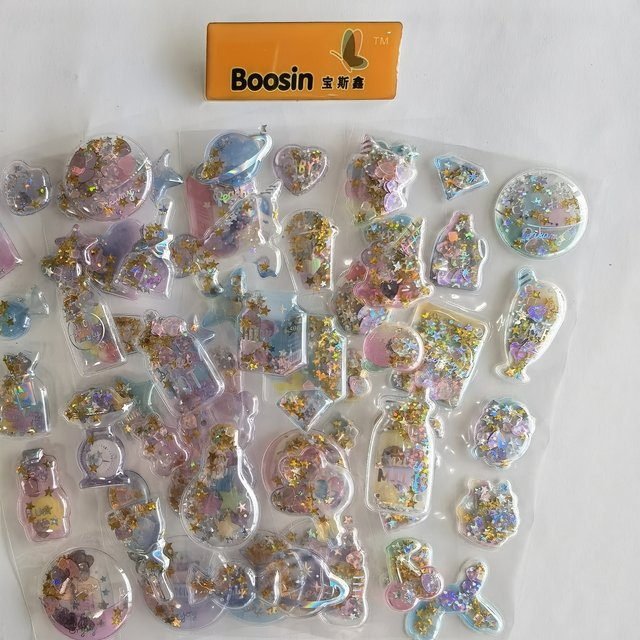
Liquid-filled stickers: Show the printed area, outer shape and desired floating effect. Confirm the seal area and construction before finalizing the artwork.
Check the proof for spelling, design count, dimensions, orientation, cutting lines, color references and the correct revision. Review the physical sample for the actual appearance, cutting, adhesion, material behavior and packaging fit.
Record changes against a named file revision. When the project is ready for approval, identify the artwork file, proof and sample version together, along with any agreed changes. Ask whether a change to size, material or construction requires another sample.
Provide the backing card, header card or box artwork separately. Check that the design count, SKU, barcode, product name and pack contents agree with the sticker layout. Supply the intended age group, sales market and required labeling for review. Artwork approval alone does not establish product compliance.
Use the sticker packaging guide to describe your packing format.
Include the product type, finished dimensions, quantities per design, application surface, packaging format, destination market and requested schedule. If your artwork is incomplete, explain what is still missing and include a reference image.
Contact Boosin with your artwork brief to discuss the next step. File requirements, sampling, MOQ, price and timing should be confirmed for the specific project.